Liam — 5/5
Swapped USDT to BTC. Smooth process, decent rate and coins landed in my wallet pretty fast.

Swap crypto quickly without account registration or routine identity verification. Choose what you want to send and receive, check the current quote and get the exchanged crypto directly to your wallet.
XExchange uses one site-wide set of service conditions, while the live order shows the exact values for the selected pair and network.
Network fees and blockchain confirmation time can vary by route. The exchange form shows the current conditions before you send funds.
| Service fact | XExchange |
|---|---|
| Supported cryptocurrencies | 187+ |
| Blockchain networks | 42+ |
| Minimum exchange | From $11 equivalent |
| Typical processing | 7–18 minutes after required blockchain confirmations |
| Service fee | 0.35%–0.85% |
| Quote refresh | Every 14 seconds |
| Fixed-rate window | Up to 12 minutes when fixed-rate mode is available |
XExchange keeps the exchange flow simple: choose the assets, review the quote and receive the result directly to your wallet.

Start a standard exchange without creating a conventional user profile or maintaining an exchange account.
A standard swap does not require a routine ID-verification flow before you create the order.
The exchanged crypto is sent to the destination wallet you provide instead of being left in an internal trading balance.
Review the current send amount, estimated receive amount and order conditions before transferring funds.
Choose an exchange direction to see the relevant network, wallet and destination requirements.
| From | To | Exchange |
|---|---|---|
 BTC |
 XMR |
Exchange BTC to XMR |
| XMR |
BTC |
Swap XMR to BTC |
 USDT |
XMR |
Exchange USDT to XMR |
| XMR |
USDT |
Swap XMR to USDT |
| BTC |
USDT |
Exchange BTC to USDT |
| USDT |
BTC |
Exchange USDT to BTC |
 ETH |
USDT |
Exchange ETH to USDT |
| USDT |
ETH |
Exchange USDT to ETH |
 SOL |
USDT |
Exchange SOL to USDT |
| USDT |
SOL |
Exchange USDT to SOL |
 BNB |
USDT |
Exchange BNB to USDT |
| USDT |
BNB |
Exchange USDT to BNB |
 XRP |
USDT |
Exchange XRP to USDT |
| USDT |
XRP |
Exchange USDT to XRP |
Availability can differ by direction and network. Use the live exchange form for the routes currently available.
The main flow takes three steps. Detailed order handling and edge cases are covered in How XExchange Works.
Select the cryptocurrency you send, the asset you want to receive and the destination wallet. Choose the exact network when the asset is available on more than one blockchain.
Enter the amount, review the current quote and deposit details, then send the selected asset on the correct network.
After the required blockchain confirmations and exchange processing, the payout is sent to the destination wallet.
Most avoidable exchange problems come from a wrong network, incompatible address or missing destination field.
Before sending funds, verify:
USDT needs extra attention because it can be available on several networks. XRP transfers can also require a Destination Tag when the receiving platform uses one.
Users searching for an anonymous crypto exchange typically want a simpler swap with fewer account and ID steps. XExchange keeps the standard flow private and direct, while blockchain visibility still depends on the network used for the deposit and payout.
For a detailed explanation of public transaction data and privacy-oriented networks, see crypto privacy and blockchain transactions.

Swapped USDT to BTC. Smooth process, decent rate and coins landed in my wallet pretty fast.
Tested XExchange with a small ETH swap first. Everything went fine, so I used it again with a bigger amount.
Swap completed successfully and the amount was fine. Took a little longer than I expected, but no real problem.
For service details, exchange instructions and support:
You can also compare another online crypto exchange at Quickex.
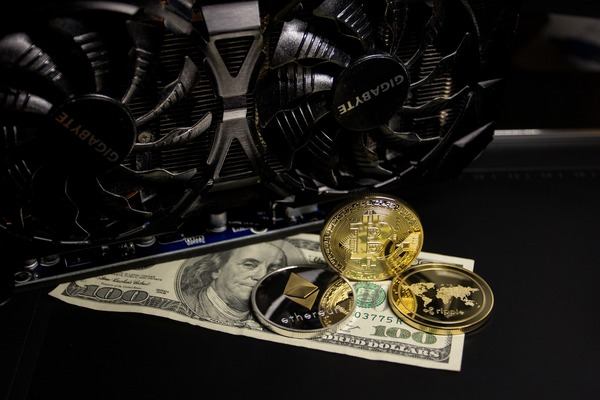
Choose the assets, review the current quote and send funds only after the network and destination are correct.
Start an ExchangeNo. The XExchange service fee is part of the exchange conditions, while a blockchain network fee can be charged by the sending network or wallet. Check both before sending funds.
Use the current order shown in the exchange form. If the quote has expired or changed, review the updated conditions before making the deposit.
Do not assume that an old deposit address remains valid. Use the deposit details shown for the current order unless XExchange explicitly indicates otherwise.
Do not automatically send a second payment. Keep the order ID and transaction hash and contact XExchange Support if the order does not process normally.
Do not automatically repeat the transaction. Contact XExchange Support with the order ID, network and transaction hash; recovery depends on the actual transaction and cannot be guaranteed.
Use the live exchange form. XExchange supports 187+ cryptocurrencies across 42+ networks, but availability can differ by pair and direction.